10 Best Project Management Software Tools Compared
I've switched project management tools more times than I'd like to admit usually because the last one worked fine for a while and then quietly became the reason tasks were falling through the cracks. If you're at that point now, or just starting to look, you're not short on options. You're short on time to test all of them.
So I did that part for you. I spent the last few weeks going hands-on with 10 of the most popular project management software tools on the market, poking at their free plans, checking what breaks once you add a real team, and comparing pricing against what you actually get. Here's what I found.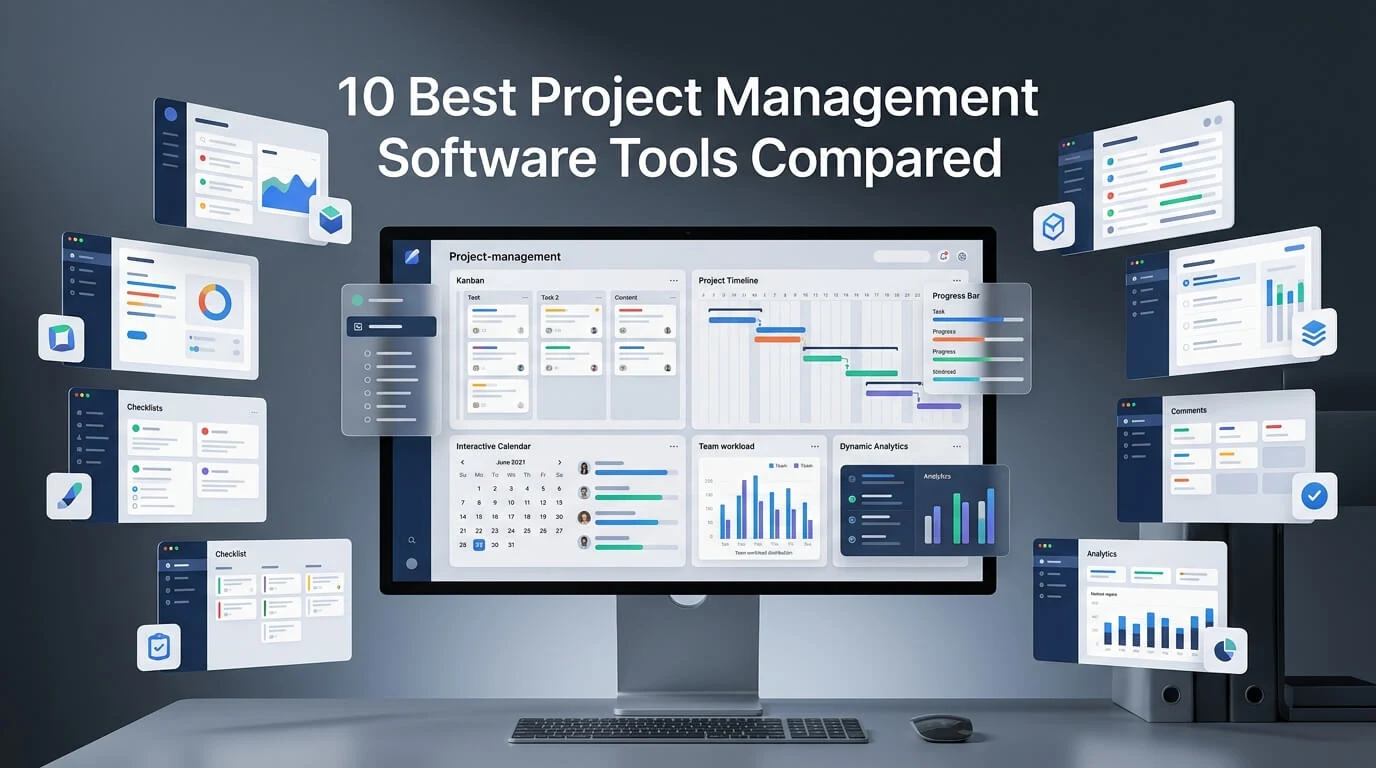
What Is Project Management Software?
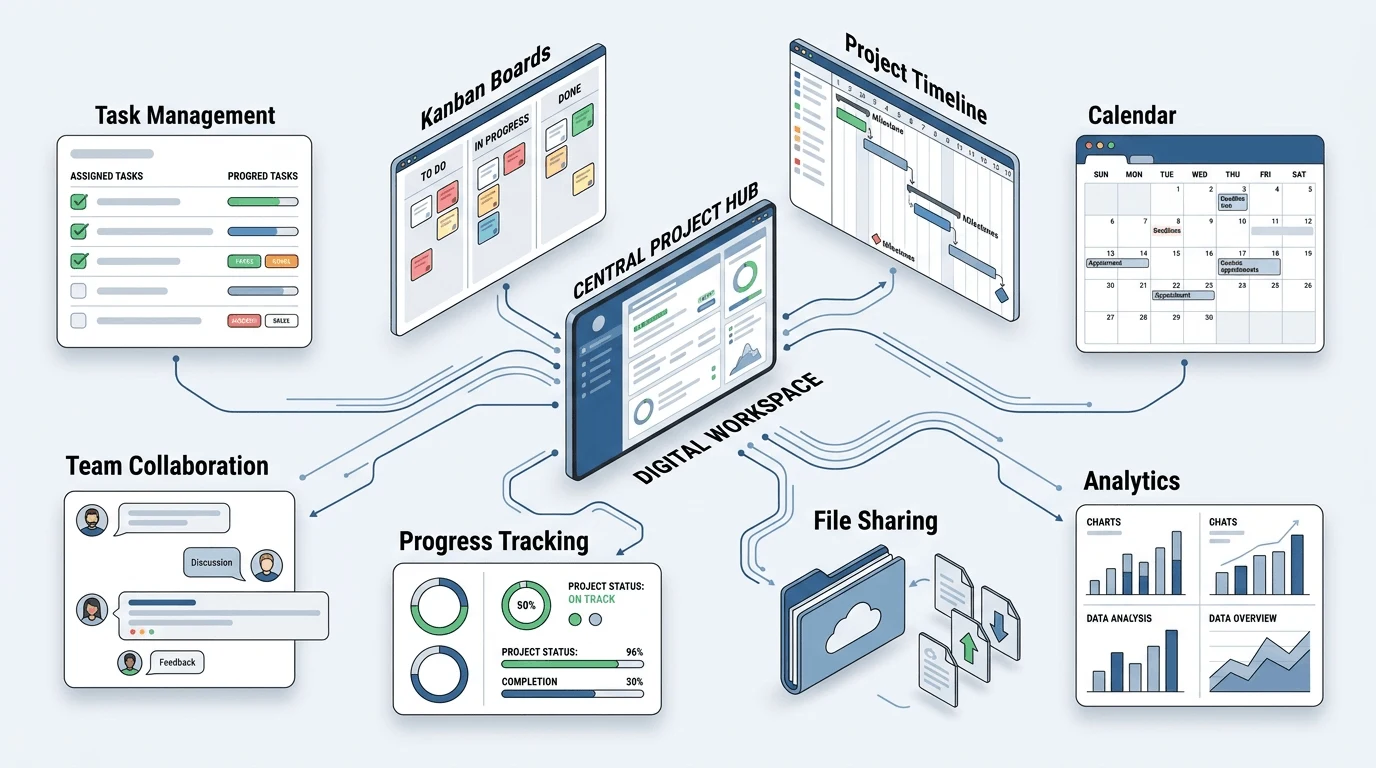
Strip away the marketing pages and project management software is really just a shared source of truth for a team's work who's doing what, by when, and what's currently stuck. Most tools cover the same basics: task assignment, deadlines, file sharing, and some form of progress tracking. Where they differ is how they present that information, and that difference matters more than it sounds like it should.
According to the Project Management Institute's definition, a project is a temporary effort to create something unique which is exactly why generic to-do apps tend to fall apart once a team scales past a handful of overlapping tasks and deadlines.
Quick Comparison Table
Tool | Best For | Starting Price | Free Plan |
|---|---|---|---|
Trello | Simplicity & visual boards | $5/user/mo | Yes |
Asana | Cross-team collaboration | $10.99/user/mo | Yes |
ClickUp | All-in-one flexibility | $7/user/mo | Yes |
Visual workflow customization | $9/user/mo | Yes (limited) | |
Notion | Docs + project management combo | $8/user/mo | Yes |
Wrike | Enterprise-level reporting | $10/user/mo | Yes |
Basecamp | Flat-rate simplicity | $15/user/mo | Trial only |
Jira | Software & agile teams | $7.75/user/mo | Yes (up to 10 users) |
Smartsheet | Spreadsheet-style PM | $9/user/mo | No |
Teamwork | Client-facing agencies | $10.99/user/mo | Yes (limited) |
(Pricing reflects entry-level paid tiers as of 2026 and changes often always confirm on the vendor's site before buying.)
1. Trello
Best for: Small teams and beginners who want something they can set up in five minutes.
Trello's Kanban board is about as close to "just works" as project management software gets. You drag cards between columns, add checklists and due dates, and that's most of what there is to learn. It's a strong pick for freelancers or small teams running lightweight projects without a lot of moving dependencies.
Pros: Dead simple to learn, clean drag-and-drop interface, generous free plan. Cons: Reporting is thin, and it starts to feel chaotic once a project gets genuinely complex.
2. Asana
Best for: Teams that need visibility across multiple projects at once.
Asana sits in a good middle ground more structure than Trello, less overhead than an enterprise tool. You get list, board, timeline, and calendar views of the same data, so different people on the same team can work the way they prefer. It scales well as teams grow, which is part of why it's stuck around as a default choice for marketing and product teams.
Pros: Multiple views of the same project, strong automation rules, scales well. Cons: Can feel like overkill for a 3-person team; good reporting is behind a paywall.
3. ClickUp
Best for: Teams that want to replace three or four other apps with one.
ClickUp's pitch is "everything, in one place" tasks, docs, goals, whiteboards, chat. That's genuinely useful if your team is currently juggling separate tools for each of those. The tradeoff is setup time; ClickUp gives you enough configuration options to spend an entire afternoon just deciding how to lay things out.
Pros: Extremely feature-rich, generous free plan, highly customizable. Cons: Steep learning curve, and it can feel cluttered before you've dialed in your setup.
4. Monday.com
Best for: Non-technical teams that want a colorful, visual way to automate workflows.
Monday.com leans hard into customizable boards and no-code automations "when status changes to X, notify Y" type rules that save a lot of manual follow-up. It's a favorite with marketing, HR, and ops teams that want power without needing a developer to set things up.
Pros: Visually intuitive, strong automation and integrations, easy for non-technical users. Cons: Pricing climbs quickly as you add seats; the free plan caps out at 2 users.
5. Notion
Best for: Teams that want project tracking and documentation living in the same place.
Notion isn't a dedicated PM tool — it's a flexible workspace that a lot of teams stretch into lightweight project management, usually because they're already using it for docs and wikis. If you want the full picture of how it works before committing, I put together a complete Notion beginner guide covering pages, blocks, and databases from scratch.
It's also worth knowing how Notion stacks up against dedicated note-taking tools I compared it directly in Notion vs Evernote, which digs into where each one actually wins.
Pros: Extremely flexible, great for small teams and startups, affordable. Cons: No native Gantt charts, and it can turn into a mess without someone enforcing structure.
6. Wrike
Best for: Larger teams that need serious reporting and approval workflows.
Wrike's dashboards and time tracking are built for scale it's common in marketing and creative teams juggling dozens of campaigns with multiple stakeholders needing sign-off. The interface is denser than most tools on this list, which is the price of that extra depth.
Pros: Powerful reporting, enterprise-grade permissions, good for cross-department work. Cons: Dense interface, and cost climbs at scale.
7. Basecamp
Best for: Teams that want flat pricing regardless of headcount.
Basecamp skips the board-and-card model entirely in favor of message boards, to-dos, and schedules. It's less about visualizing tasks and more about keeping communication calm and centralized which is why small agencies and remote teams tend to like it.
Pros: Flat pricing no matter how many users you add, simple and calm interface. Cons: No free plan (trial only), and it's missing features like native Gantt charts.
8. Jira
Best for: Software and engineering teams running agile sprints.
If your team runs Scrum or Kanban and lives in developer tools, Jira is still the default for a reason — deep integration with Bitbucket, Confluence, and the rest of the Atlassian stack. Outside of engineering contexts, though, it's usually more complexity than most teams need.
Pros: Built specifically for agile workflows, deep dev-tool integration, free for up to 10 users. Cons: Overkill for non-technical teams, and configuration takes real effort.
9. Smartsheet
Best for: Teams that think in spreadsheets and don't want to give that up.
Smartsheet looks like Excel but adds automation, Gantt charts, and real-time collaboration underneath. It's a natural landing spot for finance or ops teams making the jump from spreadsheets without wanting to relearn an entirely new interface.
Pros: Familiar layout, strong for budget and resource tracking, solid automation. Cons: No free plan, and it's less intuitive for visually driven teams.
10. Teamwork
Best for: Agencies managing multiple external clients.
Teamwork bakes in things generic PM tools don't client user roles, time tracking, and invoicing because it's built specifically around agency work rather than internal-only teams.
Pros: Built-in client management, time tracking and invoicing, and agency-friendly structure. Cons: Less useful for internal-only teams; pricing adds up with add-ons.
How to Choose the Right Project Management Software
There's no single "best" tool on this list only the one that fits how your team actually works. A few things worth weighing before you commit:
Team size: Small teams often do fine with Trello or Notion; larger teams tend to outgrow them and move toward Asana, Wrike, or Monday.com.
Technical vs non-technical: Developers usually prefer Jira; marketing and ops teams tend to lean toward Monday.com or ClickUp.
Budget: Free plans look generous until you add more than a handful of users — check per-user pricing before you commit to one.
Client work: If you're managing external clients, Teamwork or Basecamp have features built specifically for that.
Complexity: A simple task list doesn't need the same firepower as a multi-phase project with dependencies and reporting requirements.
If your team is also producing a lot of written content alongside project work, it's worth pairing your PM tool with the right writing setup I broke down the best AI tools for content writing if that's part of your workflow too.
Frequently Asked Questions
What is the best free project management software? Trello, ClickUp, and Notion all have free plans solid enough for small teams or individuals to use long-term, not just trial.
How much does project management software typically cost? Most tools run $5–$15 per user per month on paid plans, with usable free tiers available on several of them for small teams.